Best Auto Dialer Software for 2026

We evaluated each platform against the criteria that separate similar tools in practice, verifying capabilities through vendor documentation, current pricing pages, product demos, compliance requirements under TCPA and TSR rules, and user-reported experience, rather than taking marketing claims at face value.
We focused on:
- Dialing modes offered: We verified which modes each platform actually runs (preview, progressive, power, predictive, parallel) and whether "predictive" means a real pacing algorithm or a relabeled power dialer, since the difference carries both performance and regulatory weight
- Human-answer delay exposure: We assessed which dialing architectures introduce the pause between a live answer and an agent joining, the single biggest quality difference between 1:1 and multi-line dialing
- Compliance tooling: We looked for abandonment-rate controls, DNC list scrubbing, calling-hour enforcement, and consent management, weighting these heavily for predictive and parallel tools where TCPA exposure is structural
- CRM integration depth: We checked whether call outcomes, recordings, and dispositions write back to Salesforce, HubSpot, and other CRMs natively and bidirectionally, or whether the connection runs through middleware that leaves gaps in reporting
- Setup and time to live: We compared how long each category takes to go from signup to a running campaign, and how much of that path requires vendor involvement versus self-serve configuration
- Pricing transparency and true cost: We looked past entry pricing at which dialing modes are gated behind higher tiers, what usage-based charges apply, and whether a realistic outbound deployment matches the advertised rate
- Reporting and campaign analytics: We evaluated whether managers can see connect rates, abandonment rates, agent talk time, and list performance clearly enough to tune a live campaign
A rep working a call list by hand spends most of their shift time listening to ringtones, busy signals, voicemail greetings, and three-tone “number disconnected” messages. As a result, live conversations with actual customers make up only a small slice of agent shifts.
Given that a Cognism report puts the industry average cold-calling success rate at just 2.7 percent, the hard truth is that much of your agent’s time is essentially wasted.
Auto dialers close that gap: they dial from a list automatically, and connect an agent only when a real person answers. The global auto dialer software market was valued at $1.2 billion in 2025 and is projected to reach $2.3 billion by 2034, growing at a CAGR of 8.2%.
The best tool for your team depends on more than raw dialing speed. Team size, dialing mode, your CRM, and how much compliance exposure you can carry all point different buyers toward very different products.
Quick Summary
- CloudTalk: best for small and midsize teams wanting an affordable, easy-to-launch cloud dialer
- PhoneBurner: best for sales teams that want power dialing with no awkward connect delay
- Nextiva: best for growing businesses wanting VoIP and dialing in one package
- Nooks: best for SDR teams leaning on AI-assisted parallel dialing and coaching
- Orum: best for high-volume outbound teams chasing more live conversations per hour
- Genesys: best for large enterprises needing omnichannel contact center depth
- Five9: best for established call centers wanting a proven all-in-one platform
- NICE CXone: best for enterprises prioritizing workforce optimization and analytics
- RingCentral: best for businesses that want dialing bundled with unified communications
- Zoom Auto Dialer: best for teams already standardized on the Zoom ecosystem
What Is Auto Dialer Software?
Auto dialer software dials numbers from a predefined call list and connects agents only to live answers, skipping the voicemails, busy signals, and disconnected lines that eat a manual dialing shift.
Where the dialer lives varies. It can be a standalone tool that bolts onto your CRM and handles nothing but outbound calling, or a single feature inside a full cloud phone system or contact center that also runs inbound queues, SMS, chat, and reporting. Smaller teams often start with the point tool. Larger operations tend to want the dialer as part of one platform. That distinction drives most of the buying decisions below.
How Auto Dialers Work and the Types of Dialing Modes
Every auto dialer runs the same loop: pull a number, place the call, detect what answered, and either connect an agent or move on.
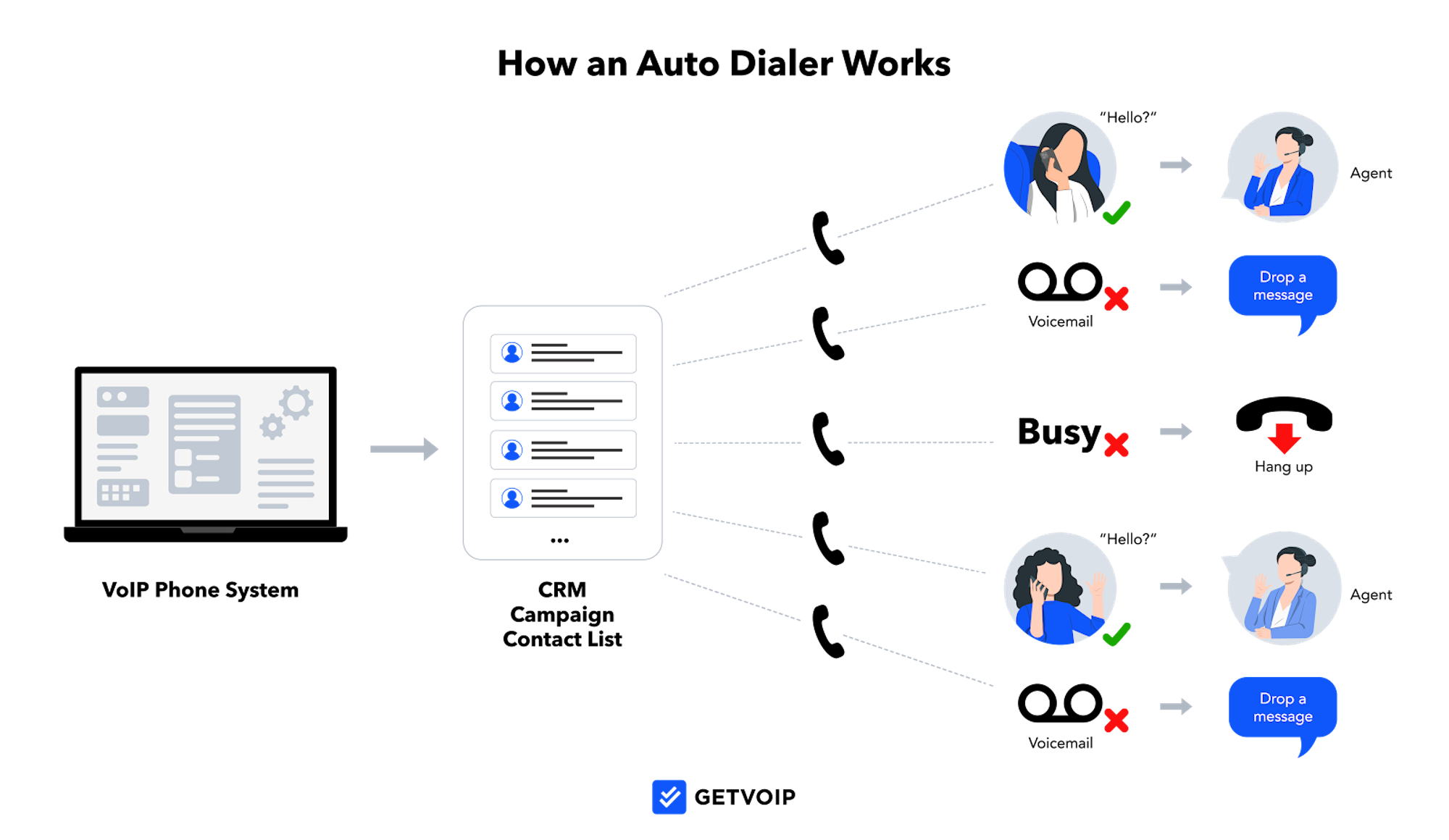
Answering machine detection (AMD) is the step that decides whether a call reached a live person, a voicemail greeting, a busy tone, or a disconnected line. Its accuracy shapes both how many live conversations agents get and how much legal risk the campaign carries.
The modes differ in how aggressively they place calls relative to the number of available agents.
| Mode | How it dials | Best when |
| Preview | Shows lead info and history; agent reviews and dials manually | Complex or high-value calls needing prep |
| Progressive | Dials one number automatically when an agent frees up | Steady 1:1 pacing, low drop risk |
| Power | Dials sequentially per agent, one at a time | High-volume sales without telemarketer delay |
| Predictive | Algorithm dials multiple lines at once, bridges live answers | Large teams maximizing talk time |
| Parallel / AI | Dials many lines simultaneously, uses AI to route live answers | High-velocity teams chasing connect volume |
Predictive and parallel modes buy talk time, but at a cost vendors rarely spell out: the human-answer delay. Since the system dials ahead of agent availability, someone who picks up and says "hello" might sit through a second or two of dead air before a rep gets bridged in. That pause feels like a telemarketer robocall, and it quietly erodes trust. More lines don't automatically mean better conversations.
AMD accuracy makes this even worse.. Tune detection too aggressively, and the system classifies live humans as voicemail, dropping calls it should have connected. Tune it too loosely and agents get dumped into answering machines. In predictive and parallel modes, misclassified live answers become abandoned calls, and abandoned calls are capped by law at 3 percent, which is why predictive dialers exist as a regulated category rather than a pure speed setting.
Best Auto Dialer Software Providers Compared
The ten tools below split into three camps: power and parallel point tools built for outbound sales velocity, true predictive contact center platforms built for large regulated operations, and unified phone systems that fold a dialer into a broader suite.
For each, check two things: whether it runs a real algorithmic predictive engine or only power/parallel dialing, and how deeply it writes back to your CRM. The table below maps every provider to its camp, dialing modes, and starting price before the full breakdowns.
| Provider | Pricing | Pros | Best for |
| CloudTalk | Published per-seat tiers | Easy setup, strong call analytics | SMBs wanting a quick-to-deploy dialer |
| PhoneBurner | Published per-seat tiers | Power dialing with no connection delay | Sales teams focused on live conversations |
| Nextiva | Published per-seat tiers | Combined voice and CRM features | SMBs consolidating comms and sales tools |
| Nooks | Quote-based | AI-assisted parallel dialing | Outbound SDR teams |
| Orum | Quote-based | Parallel dialing with live conversation routing | High-volume outbound prospecting |
| Genesys | Published per–seat tiers plus custom pricing | Full enterprise contact center suite | Large omnichannel operations |
| Five9 | Quote-based | Multiple dialing modes, deep integrations | Mid-market to enterprise call centers |
| NICE CXone | Quote-based | Broad CX platform with workforce tools | Enterprise contact centers |
| RingCentral | Published per-seat tiers | Unified voice, video, and messaging | Teams wanting dialer plus full UCaaS |
| Zoom Auto Dialer | Add-on to Zoom Phone | Native fit for existing Zoom users | Teams already on Zoom Phone |
CloudTalk
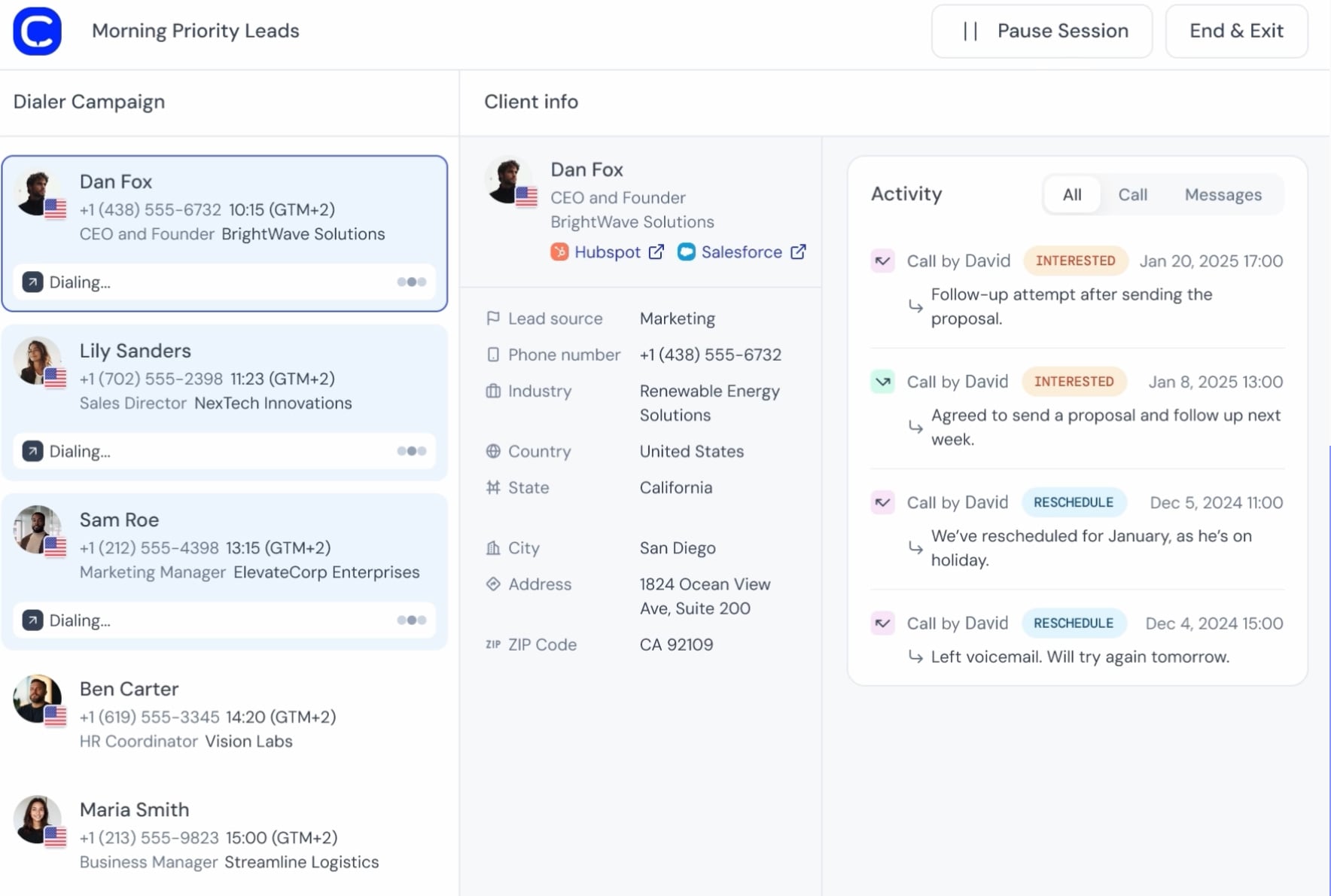
CloudTalk aims at small and mid-sized sales and support teams that want multiple dialing modes without an enterprise contract or a sales-led rollout. It packages Power, Smart, Parallel, and Preview dialing, which covers most outbound work short of a full predictive algorithm.
Its clearest advantage is integration depth: native two-way sync with Salesforce, HubSpot, Pipedrive, and Zendesk, so dispositions and call recordings post back to the contact record automatically rather than routing through a Zapier workaround.
What We Like
- Four dialing modes on a self-serve platform, unusual at the SMB price point
- Native CRM sync rather than middleware, which keeps call data attached to the right record
- International numbers and local presence dialing across many countries
What to Know: CloudTalk is a power and parallel dialer, not a true predictive one, so very large teams chasing maximum occupancy will outgrow it. The advanced dialing modes sit on higher tiers, so the entry plan is not the one most outbound teams actually need.
Pricing: Per-user monthly pricing in tiers, with parallel and smart dialing reserved for upper plans and discounts on annual billing.
Best for: Self-serve SMB buyers who need native CRM write-back and international presence dialing on one plan.
PhoneBurner
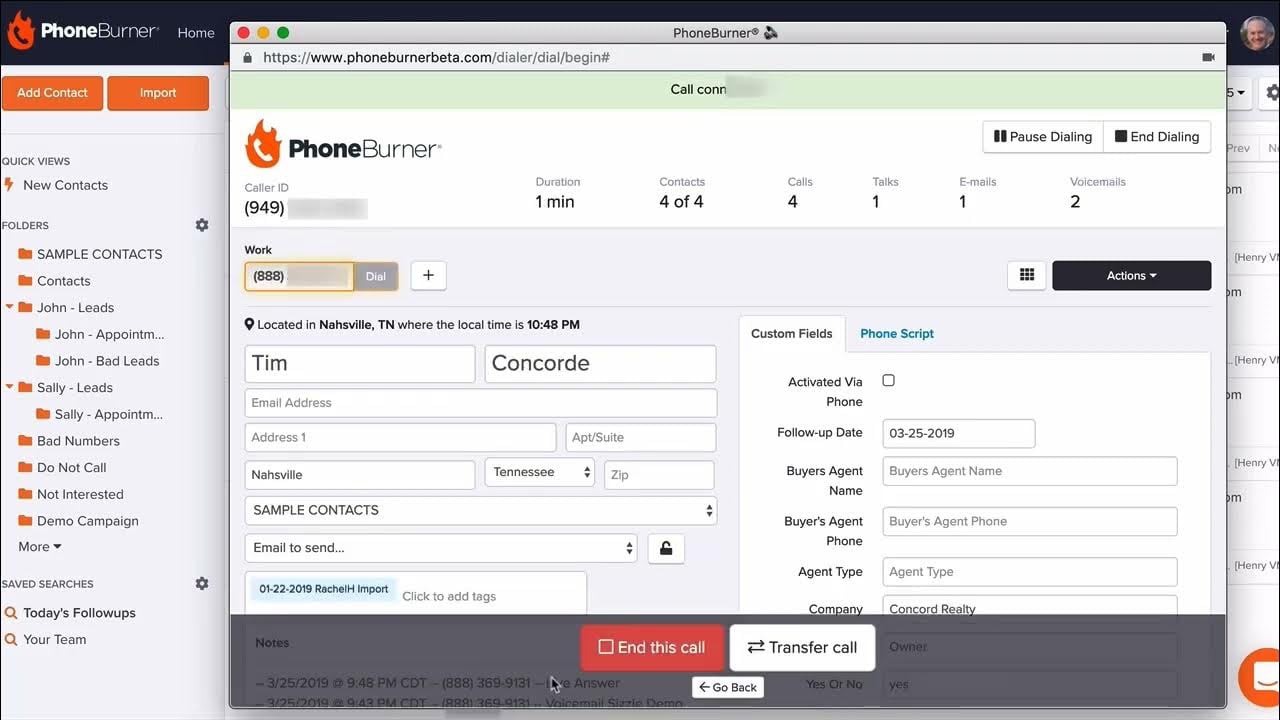
PhoneBurner is a power dialer built around a single obsession -- removing the connection delay that makes outbound calls sound automated. It dials one line per agent and connects the moment someone answers, so there is no telemarketer pause and the rep is present from the first "hello."
That design makes it a favorite for relationship-driven and high-value calling where a botched opening costs a deal. It pairs the dialing with number reputation monitoring and branded caller ID to keep outbound numbers from getting spam-flagged.
What We Like
- No human-answer delay, because dialing is triggered per agent rather than predictively
- Caller ID reputation management to reduce spam-labeling and lift pickup rates
- Native integrations with Salesforce and HubSpot plus a built-in CRM for teams without one
What to Know: PhoneBurner does not run predictive or parallel dialing, so pure top-of-funnel teams optimizing for connect count above all else will find its 1:1 pacing slower than a multi-line tool.
Pricing: The Standard plan runs $140 per user per month billed annually, the Professional plan runs $165 per user per month billed annually, and the Premium Plan runs $183 per user per month annually (2026 pricing). Dialing minutes are not metered on top.
Best for: Relationship-driven, high-value calling where a clean opening matters more than sheer connect count.
Nextiva
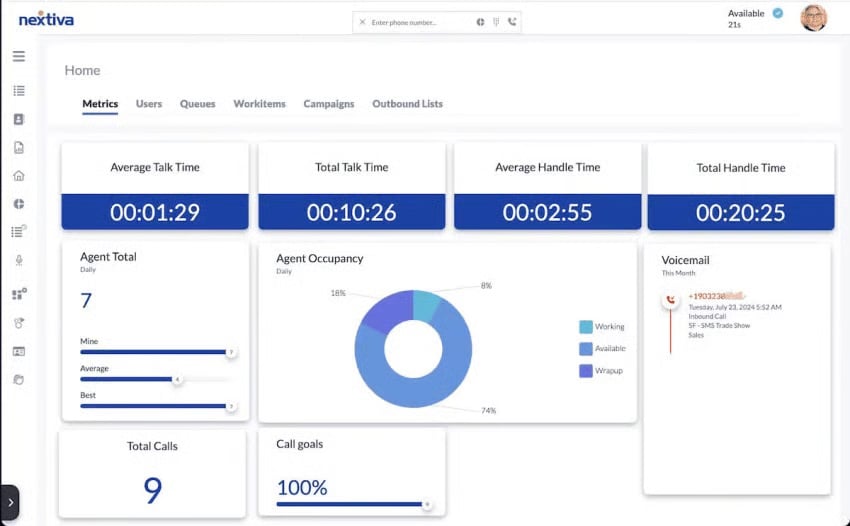
Nextiva is an all-in-one AI-powered virtual call center platform for sales, service, and support, spanning voice, SMS, chat, email, social media, and messaging apps such as WhatsApp. Every plan includes auto dialing, a built-in CRM, and a workflow builder for routing and customer workflows, which positions it as a platform rather than a standalone dialer.
Higher tiers add interactive bots, custom omnichannel surveys, and customer experience analytics, so the same tool supports outbound sales campaigns and inbound support workflows off shared customer profiles.
What We Like
- Channel breadth beyond voice and chat, including connected email inboxes and social channels like X, Facebook, and Instagram
- Flexible omnichannel routing, including skills-based, longest-idle, or custom order
- Feature-rich entry tiers that include auto dialers, campaign management, agent scripts, workflows, and bots
- Built-in CRM that ties campaign lists and dialing styles to full customer profiles and history
- Analytics built on Google Looker Studio, including survey trends and interaction insights
What to Know: The cheapest plan is $75 per agent per month, higher than alternatives like RingCentral, so teams that only need basic inbound and outbound calling get better value elsewhere. The workflow automations carry a learning curve, and Nextiva offers only a video demo rather than a free trial.
Pricing: Three tiers starting at $75 per agent per month, with usage-based and concurrent pricing models available. There is no free trial, so confirm fit before signing.
Best for: Teams that want an all-in-one omnichannel platform with a built-in CRM behind their dialing.
Nooks
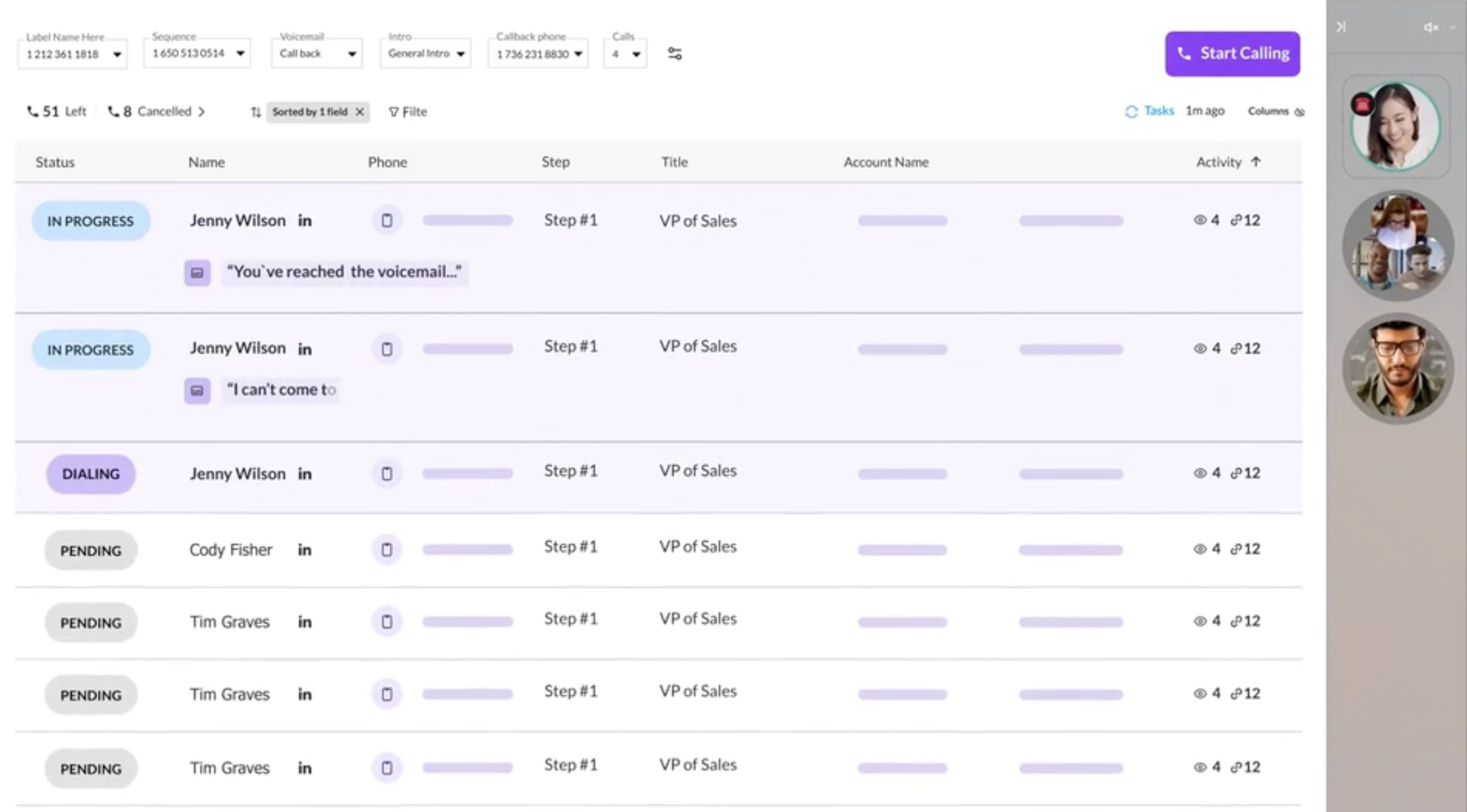
Nooks dials many lines at once and uses AI to skip voicemails, routing live answers to a waiting rep. Nooks is tuned for SDR teams that measure success in connections per hour. Beyond dialing, it leans on AI for call analysis and coaching, which appeals to sales orgs trying to ramp reps and standardize talk tracks rather than just hit more numbers.
The platform bundles the dialer with a virtual salesfloor, so managers can listen in, drop into live calls, and coach reps in real time much like they would on an in-office floor. That mix of parallel dialing and AI-driven coaching positions Nooks less as a standalone dialer and more as a workspace for outbound teams building a repeatable prospecting motion.
What We Like
- AI call assist, coaching, and call analysis to ramp reps and standardize talk tracks
- High-volume parallel dialing designed for connect-rate maximization
- Integrations with Salesforce, Outreach, and Salesloft for SDR workflows
What to Know: As a parallel dialer, Nooks carries the human-answer delay and the abandoned-call exposure that come with multi-line dialing, so it suits prospecting more than relationship selling. Pricing is not published, so evaluation requires a demo and a quote.
Pricing: Quote-based, typically per-seat annual contracts.
Best for: SDR orgs that want AI coaching and talk-track standardization alongside high-volume dialing.
Orum
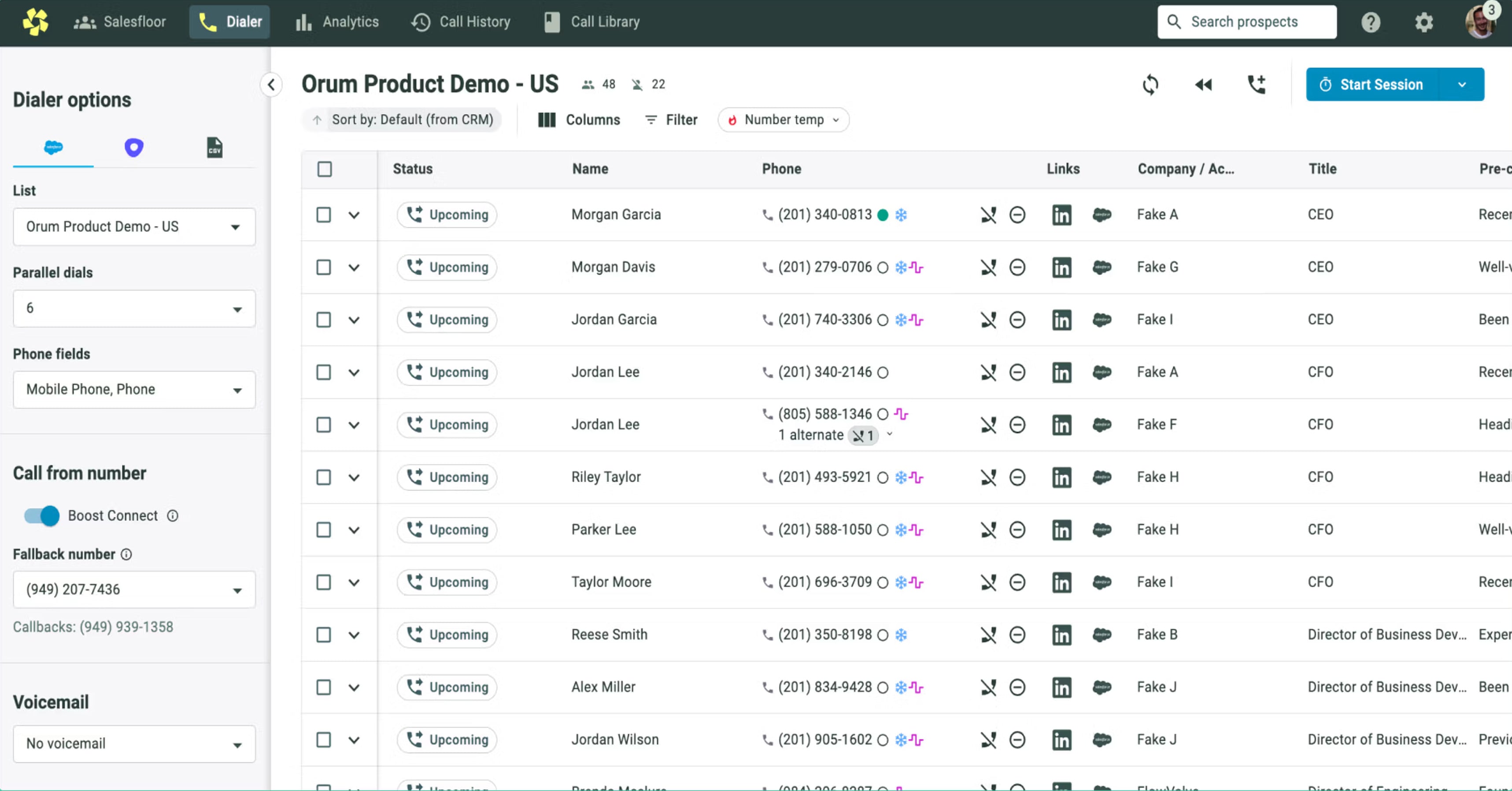
Orum is a live conversation platform built on AI parallel dialing for high-velocity revenue teams. It positions itself as an activity engine that sits on top of an existing sales stack, which is why integration with sequencing tools matters more here than PBX features.
That focus shapes who it fits. Orum dials multiple numbers at once, filters out voicemails and bad numbers, and connects reps only when a live person answers, so a team running heavy outbound volume spends its time talking instead of waiting. The tradeoff is that Orum assumes you already have a CRM and sales engagement layer to plug into, so it works best as a bolt-on for established sales orgs rather than a standalone system for a small team.
What We Like
- A dialing layer that sits on top of an existing sales stack rather than replacing the phone system
- Voicemail and bad-number detection to keep reps on live answers
- Integrations with Salesforce, plus sequencing tools Outreach and Salesloft
What to Know: Orum is not a predictive dialer in the regulated sense and not a full phone system, so it complements rather than replaces a contact center. The same multi-line speed that drives its numbers also introduces answer delay and abandonment risk that need monitoring.
Pricing: Quote-based; no public pricing.
Best for: Revenue teams that want a dialing layer over their existing sequencing stack rather than a new phone system.
Genesys
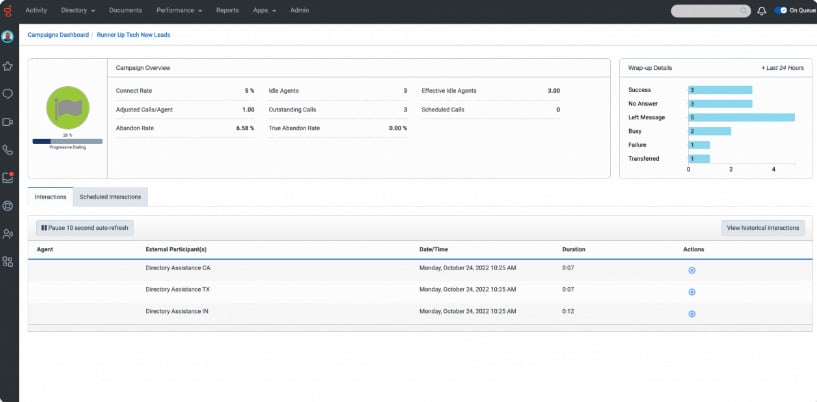
Genesys Cloud is an enterprise omnichannel contact center that includes true predictive dialing alongside preview, progressive, and power modes. For an outbound buyer, the appeal is running regulated campaigns at scale while the same platform handles inbound voice, digital channels, and workforce management.
Compliance and administration are the differentiators. Genesys ships abandonment controls, DNC handling, and detailed campaign reporting expected of a platform used by large regulated operations, which is more governance than a point dialer provides.
What We Like
- A real algorithmic predictive dialer with all four traditional modes available
- Enterprise compliance tooling for abandonment caps and Do Not Call management
- Omnichannel platform, so outbound sits next to inbound and digital in one system
What to Know: Genesys is full contact center software, not a lightweight sales dialer, so small teams pay for capabilities and administration they will not use. Expect implementation effort rather than same-day setup.
Pricing: Named tiers are published, but outbound and concurrent-user configurations are quoted; usage-based options are available.
Best for: Enterprise omnichannel operations running regulated outbound at scale.
Five9
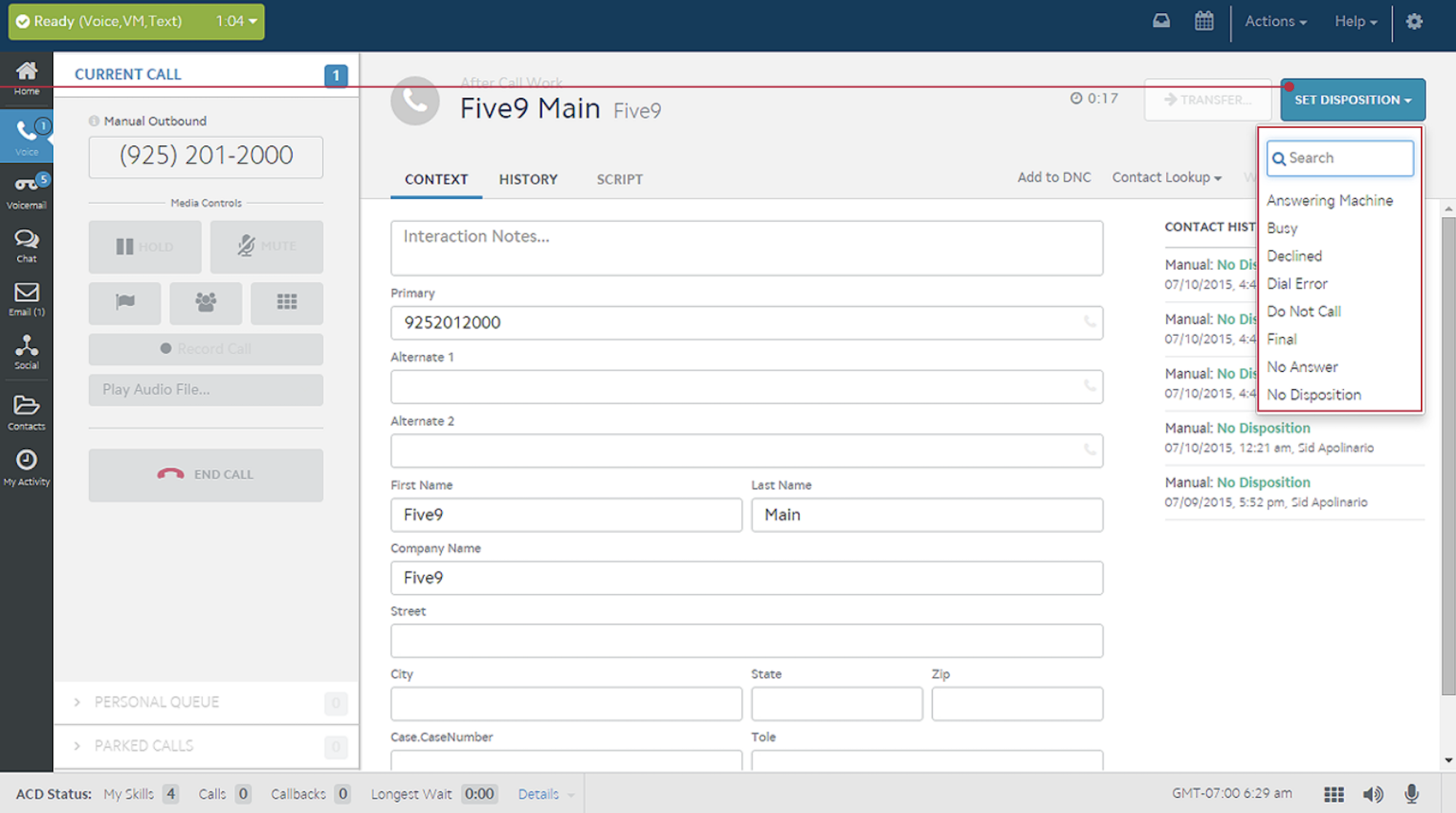
Five9 is a complete enterprise contact center platform, not a standalone auto dialer. It runs a genuine predictive dialer alongside power, progressive, and preview modes, backed by the compliance, security, and analytics depth that regulated call centers require. This is the tool for operations answering to TCPA rules and internal audit teams, not a lightweight setup you spin up in an afternoon.
Its outbound story leans on scale and control: campaign management, list strategy tools, and reporting built for hundreds of seats rather than a handful of SDRs. Add-ons for workforce management, quality monitoring, and AI-assisted agent guidance extend the platform well past dialing, which is why Five9 tends to win when a call center wants one vendor for the whole outbound operation rather than a point solution.
What We Like
- True predictive dialing with enterprise-grade abandonment and compliance controls
- Advanced analytics and reporting across large agent populations
- Deep CRM and workforce integrations suited to complex operations
What to Know: Five9 is priced and scoped for enterprise, so a small outbound team will find it heavy and expensive relative to a point tool. Setup runs through implementation, not self-serve.
Pricing: Quote-based across five CX bundle packages that range from digital-only to full omnichannel with advanced AI. (Publicly-priced per-seat Five9 plans do not include auto dialing.)
Best for: Large regulated contact centers that need true predictive dialing at hundreds of seats.
NICE CXone
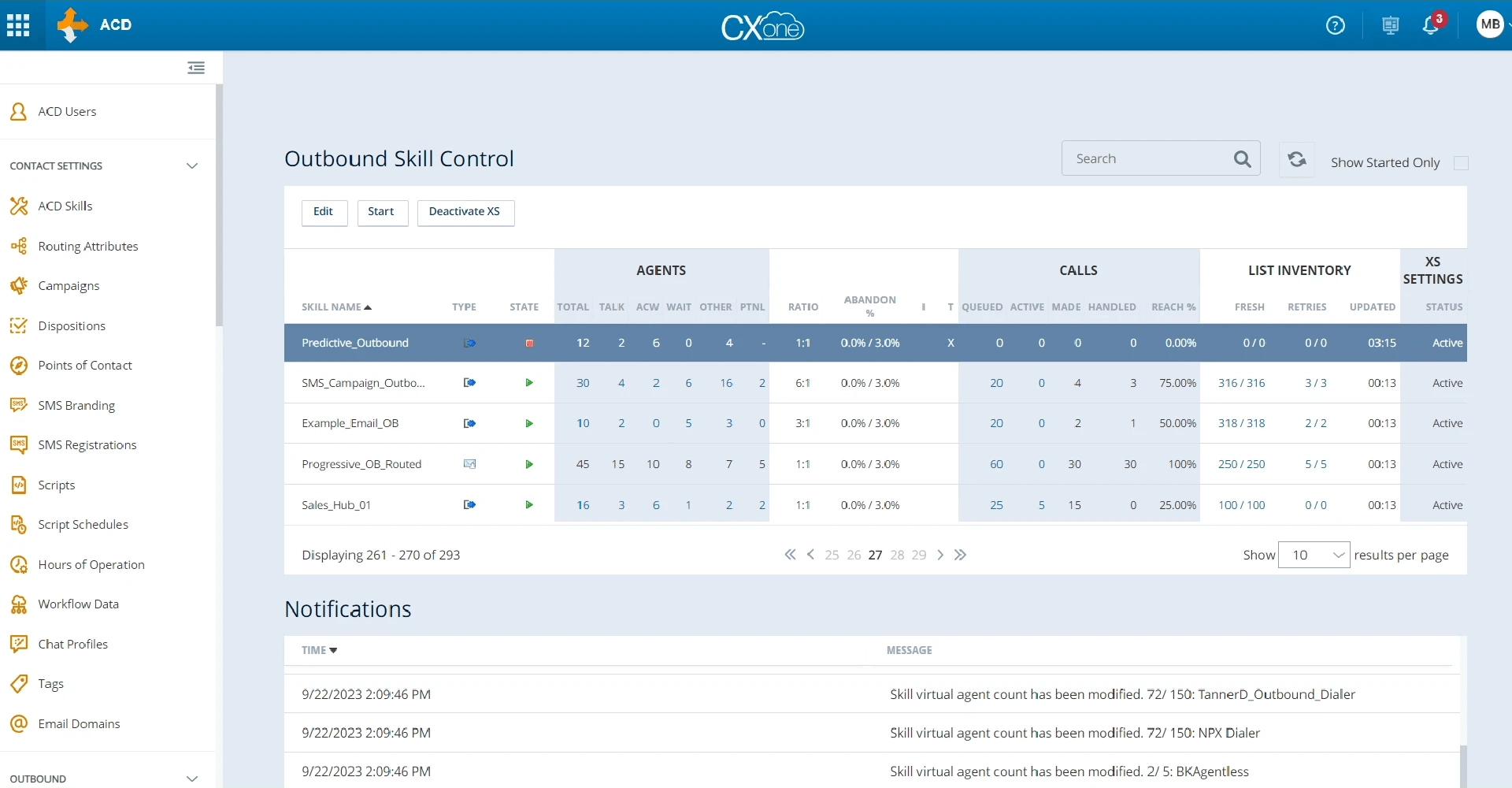
NICE CXone competes directly with Five9 and Genesys for the large regulated contact center, pairing a true predictive dialer with a proactive compliance suite that many buyers cite as the top reason to choose it. For teams whose main fear is a TCPA penalty, the built-in guardrails are the selling point.
The analytics layer is the other draw, with interaction analytics and workforce optimization designed for operations that manage quality and compliance across large teams.
What We Like
- Predictive dialing with all traditional modes and strong abandonment controls
- Proactive compliance tooling aimed squarely at TCPA and DNC risk
- Enterprise analytics and workforce optimization
What to Know: Like its enterprise peers, CXone is a full platform with the cost and onboarding to match, so it overshoots small and mid-market outbound teams. Budgeting requires a demo.
Pricing: Quote-based, as standard per-seat pricing doesn’t include outbound dialers.
Best for: Large regulated contact centers where TCPA and DNC compliance is the deciding factor.
RingCentral
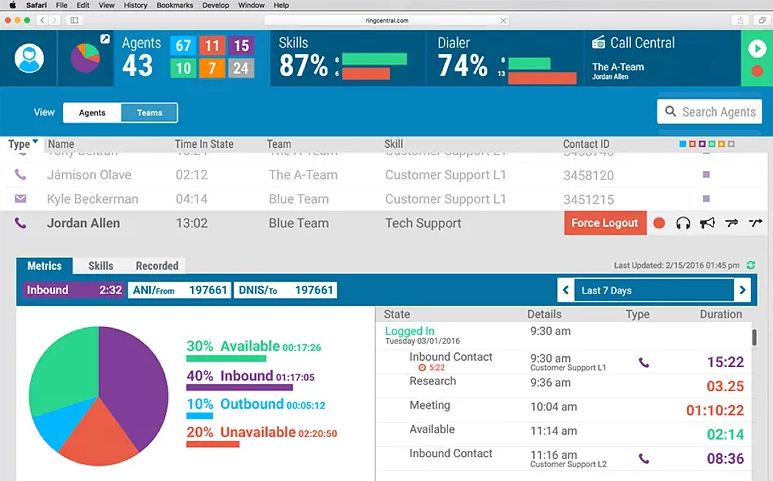
RingCentral’s auto dialer lives inside RingCX, its contact center product, rather than in the core RingEX business phone service. RingCX supports predictive, progressive, and preview dialing, so it fits teams that want outbound campaigns alongside omnichannel routing and a unified communications backbone.
The consolidation angle sets it apart: a company already standardized on RingCentral for phones can add a compliant outbound dialer without introducing a separate vendor.
What We Like
- Predictive, progressive, and preview dialing within a full contact center
- Tight fit with the broader RingCentral phone and messaging stack
- Omnichannel routing and integrations for teams consolidating tools
What to Know: The dialer is a contact center feature, not part of the cheaper business phone plans, so buyers who only want a sales dialer pay for a platform. RingCX itself is quoted rather than published.
Pricing: RingCX is quote-based; the standalone RingEX phone plans publish pricing but do not include the outbound dialer.
Best for: Contact center teams that need predictive dialing to run alongside omnichannel routing in one system.
Zoom Auto Dialer
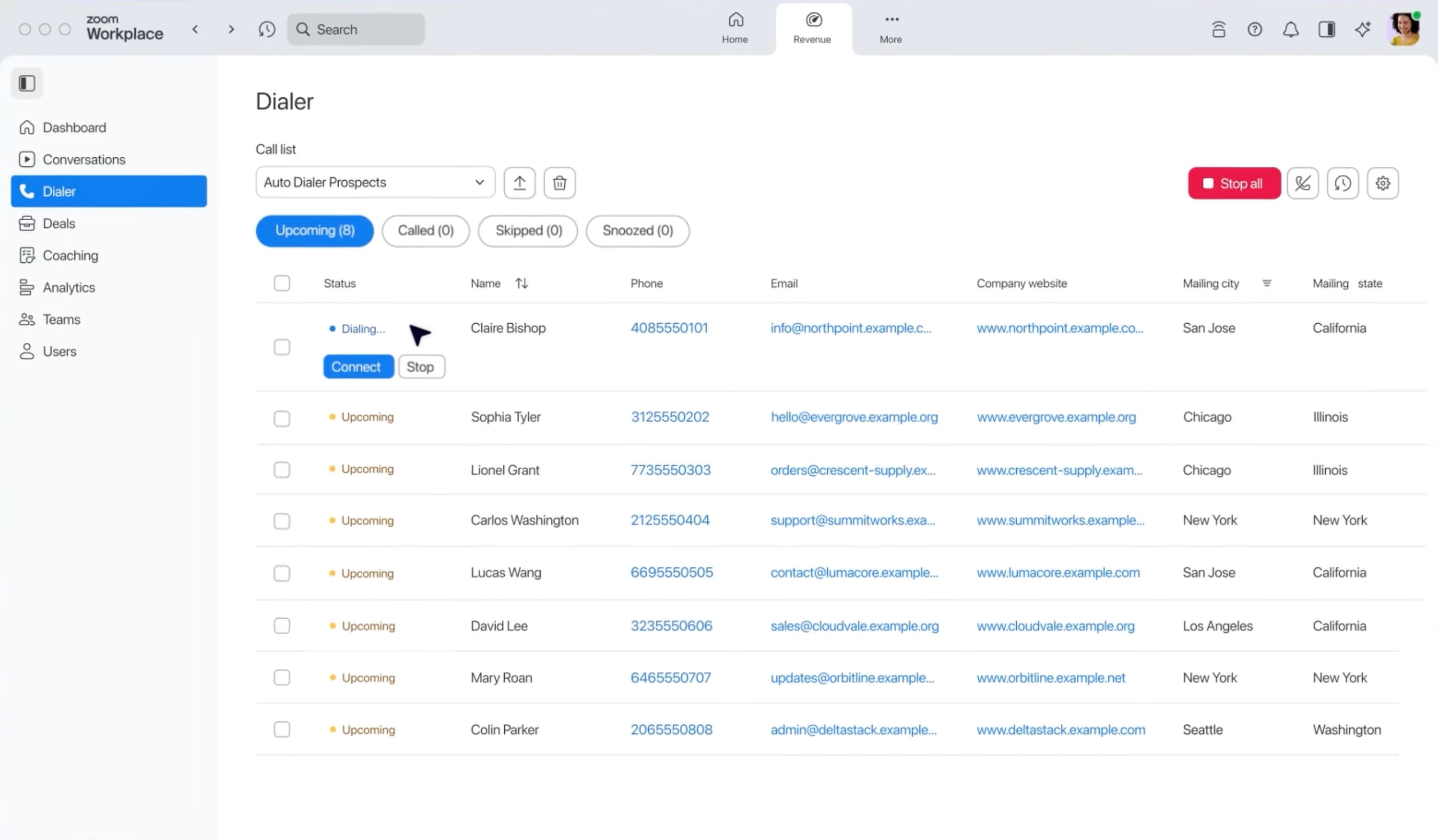
Zoom Auto Dialer runs power and progressive dialing tied to Zoom Phone, so reps dial, take notes, and log activity without leaving the environment they already use. It targets teams already standardized on Zoom that want outbound calling in one workflow rather than a bolt-on tool.
Its pitch is unification over specialization. It will not out-dial a dedicated parallel tool, but it removes the friction of a separate login and a separate vendor relationship.
What We Like
- Power and progressive dialing built directly into the Zoom platform
- One workflow for calling, meetings, and phone for existing Zoom customers
- Straightforward setup for teams already licensed on Zoom Phone
What to Know: This is a power dialer, not a predictive or parallel engine, so high-velocity prospecting teams will hit its ceiling. The value depends on already being a Zoom shop.
Pricing: Offered as part of Zoom’s phone and contact center products; Zoom publishes Phone plan pricing, while larger contact center tiers are quoted.
Best for: Zoom Phone shops that value a single login over a specialized dialing engine.
Pricing and Transparency: What You’ll Actually Pay
Auto dialer pricing follows three patterns:
- Per-user monthly seats billed per agent
- Tiered bundles that gate dialing modes behind higher plans
- Usage-based add-ons for minutes, numbers, or AI features
Which pattern a vendor uses tells you as much about who they sell to as the number itself.
Transparency splits cleanly along team size. Tools built for smaller, self-serve buyers publish rates so a manager can evaluate, for example:
- PhoneBurner: pricing plans range from $140 to $183 per user per month billed annually
- Nextiva: tiers starting at $75 per agent per month
- CloudTalk and Zoom: per-user rates published, though both put the dialing features you actually want on upper plans
The enterprise platforms hide pricing on purpose. Five9, NICE CXone, RingCentral, Nooks, and Orum are quote-only, because they configure bundles, seat counts, and compliance features per deployment.
Five9, for instance, sells five CX bundle packages ranging from digital-only to full omnichannel with AI, and the right one depends on a scoping conversation.
Read transparency as a buying signal. Published pricing suits small teams that want to move fast and compare in a spreadsheet. Quote-only fits enterprises that need custom bundles and expect to sit through a demo anyway.
How to Choose the Right Auto Dialer
Three questions route you to a category faster than any feature list.
1. Which CRM do you use?
If you run Salesforce or HubSpot, prioritize native two-way sync so call outcomes post back automatically. A tool that only connects through Zapier or an open API costs engineering time and leaves gaps in reporting. If you have no CRM, favor a dialer with one built in, like PhoneBurner or Nextiva.
2. How many reps do you have?
Solo operators and small sales teams are best served by published-pricing power dialers they can turn on themselves. Large and regulated teams need predictive and omnichannel platforms with abandonment controls, which means a demo and a quote. Getting this wrong cuts both ways: a five-rep team on an enterprise platform pays for administration it can't use, and a 200-seat operation on a point tool outgrows it mid-contract.
3. Do you need a standalone dialer or a full phone system?
A point tool does one job well and layers onto your existing phone service. A unified platform replaces it. Consolidation reduces integration headaches and admin overhead, but you pay for inbound, routing, and channels you may not use, and switching later is harder.
Match Your Situation to a Category
| Your situation | Your category | Where to start |
| Small sales team on HubSpot or Salesforce, standalone dialing | Published-pricing all-rounder | CloudTalk, PhoneBurner |
| High-velocity SDR team chasing connect volume | Parallel or AI dialer | Nooks, Orum |
| Enterprise running regulated, omnichannel outbound | Bundle-based contact center | Five9, NICE CXone, Genesys, RingCX |
The middle row comes with the caveat this article keeps returning to: parallel dialing buys connects at the cost of conversation quality, so go in with eyes open.
What to Compare on Your Shortlist
Once you're down to two or three tools, these are the features that separate them:
- Dialing modes offered, and which tier they actually sit on
- CRM integration depth (native two-way sync versus middleware)
- Local presence and caller ID reputation management to fight spam-flagging
- AMD accuracy, tested on your own lists
- Compliance tooling: abandonment controls, DNC scrubbing, consent management
- Reporting depth for tuning live campaigns
Load a sample list during a trial or demo and watch how a live campaign behaves before you commit.
Parallel and AI Dialers vs Power Dialers
More simultaneous lines do not always mean better results, and this is the decision most often made on the wrong metric. Parallel and AI dialers like Nooks and Orum win on raw connects, but they introduce a human-answer delay -- the pause a prospect sits through before a rep is bridged onto the call. That silence reads as a robocall, chills the opening, and lowers the quality of every conversation that does connect.
The legal cost is sharper. Because multi-line dialing places more calls than there are available agents, some live answers get no agent and become abandoned calls. FCC rules under the TCPA, codified at 47 CFR 64.1200, cap abandonment at 3 percent of all calls answered live by a person over any 30-day period, and the FTC’s Telemarketing Sales Rule mirrors that limit.
Staying inside the safe harbor also requires:
- Connecting to a live rep within two seconds of the prospect’s greeting
- Playing a compliant recorded message on any abandoned call
- Scrubbing lists against Do Not Call registries
Miss the cap and the numbers get ugly fast: an FTC complaint against Shutterstock cited a call abandonment rate of 21.1 percent, roughly seven times the ceiling.
A power dialer like PhoneBurner sidesteps the problem by design. One line per agent means 1:1 pacing, no telemarketer delay, and effectively no abandoned calls, which makes it the safer choice for relationship-driven or high-value selling where a clean first impression matters. Parallel and AI dialing earns its place in pure top-of-funnel prospecting, where volume outweighs polish and the goal is simply to surface conversations. Pick on the workflow, not the headline connect rate.
Benefits, Use Cases, and Who Actually Uses Auto Dialers
The core payoff is time reclaimed. Auto dialers deliver:
- No manual dialing and no dead air between calls
- Automatic filtering of voicemails, busy signals, and disconnected numbers
- Higher agent talk time and more live conversations per shift
- Better list discipline and consistent follow-up
Talk time is the obvious metric, but not the only one worth watching. Track connect rate to judge caller ID reputation and list quality, conversion to see whether faster dialing actually produces outcomes, and agent idle time to confirm the pacing mode matches your staffing. A tool that lifts talk time while conversions fall is usually dialing too aggressively.
Different departments lean on different modes:
- Outbound sales and SDR teams use power for steady 1:1 selling and parallel for top-of-funnel prospecting.
- Collections and accounts-receivable teams favor predictive dialing to work large volumes efficiently.
- Customer support and proactive outreach lean on preview so agents arrive with full context.
- Survey and market research teams run predictive for reach across big sample lists.
- Appointment reminders and confirmations suit progressive or automated messaging.
The pattern: volume-driven work like collections and surveys favors predictive dialing, while high-value or relationship-driven work like enterprise sales and support favors preview or power, where the quality of each conversation matters more than the count.
FAQs
Good but never perfect. AMD misclassifies a share of calls in both directions, dropping some live humans as machines and connecting some machines as humans. Tuning toward fewer abandoned calls protects compliance but lowers connect rate, so test it on your own lists rather than trusting a spec.
For many automated and prerecorded telemarketing calls to consumers, yes: prior express written consent is required under the TCPA, and calls to numbers on the Do Not Call Registry are restricted regardless of dialing mode. Requirements vary by call purpose and whether a number is a cell phone, so confirm with counsel before launching. TCPA litigation remains a real risk, with 1,210 actions filed between January and August 2024 alone.
A published-pricing power dialer can be live in a day or two: create seats, load a list, scrub against the DNC, and dial. Enterprise predictive platforms run weeks through implementation, CRM integration, compliance configuration, and agent training. Budget your timeline around the category, not the marketing.
Instantly compare call center software.
Bottom line quotes from vetted providers.
How many employees do you have?
GetVoIP's comparison guides made it easy to summarize services and make an informed and cost-effective decision.